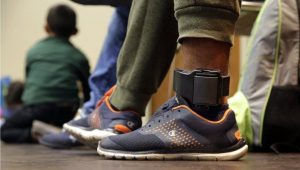

A GPS ankle bracelet program is only as credible as its daily maintenance rhythm. When charging slips, straps fray in silence, or cellular modules age into sunset bands, officers spend their shifts chasing phantom alerts instead of supervising risk. This GPS ankle bracelet maintenance guide translates field operations into seven repeatable practices—grounded in procurement reality, NIJ-era benchmarking language, and CO-EYE ONE specifications from our official knowledge base. It complements our pillar explainer on what a GPS ankle bracelet is, the GPS ankle monitor guide, and scenario planning for GPS ankle bracelet programs in domestic violence protection.
Throughout this article, GPS ankle bracelet refers to one-piece cellular ankle-worn trackers (and functionally equivalent GPS ankle monitor hardware) used in probation, parole, pretrial, and jail diversion pathways. The same habits apply whether your agency calls the device an electronic ankle bracelet or a supervised-IOT tracker—the maintenance doctrine is identical even when vendor SKUs differ.
1) Establish a Standardized Charging Protocol
Nothing erodes trust in a GPS ankle bracelet faster than predictable dead batteries. When participants miss charging windows, maps go quiet, warrants stall, and compliance narratives turn adversarial. Standardize three elements in policy: who reminds the participant, where charging occurs (home dock vs. reporting center), and how officers verify a successful charge cycle in the monitoring platform.
Compare endurance honestly. Many legacy one- and two-piece stacks, when operated in aggressive reporting modes, effectively behave like daily charging workloads for stressed caseloads. Moving to a seven-day standalone duty cycle can eliminate roughly 85% of those daily charging encounters over a month—freeing officers to focus on risk signals, not outlet logistics. CO-EYE ONE lists seven days of standalone operation in LTE-M/NB-IoT at a five-minute interval, powered by a 1700 mAh pack that fully charges in about 2.5 hours on the magnetic cradle (mobile power-bank charging is also supported per specifications).
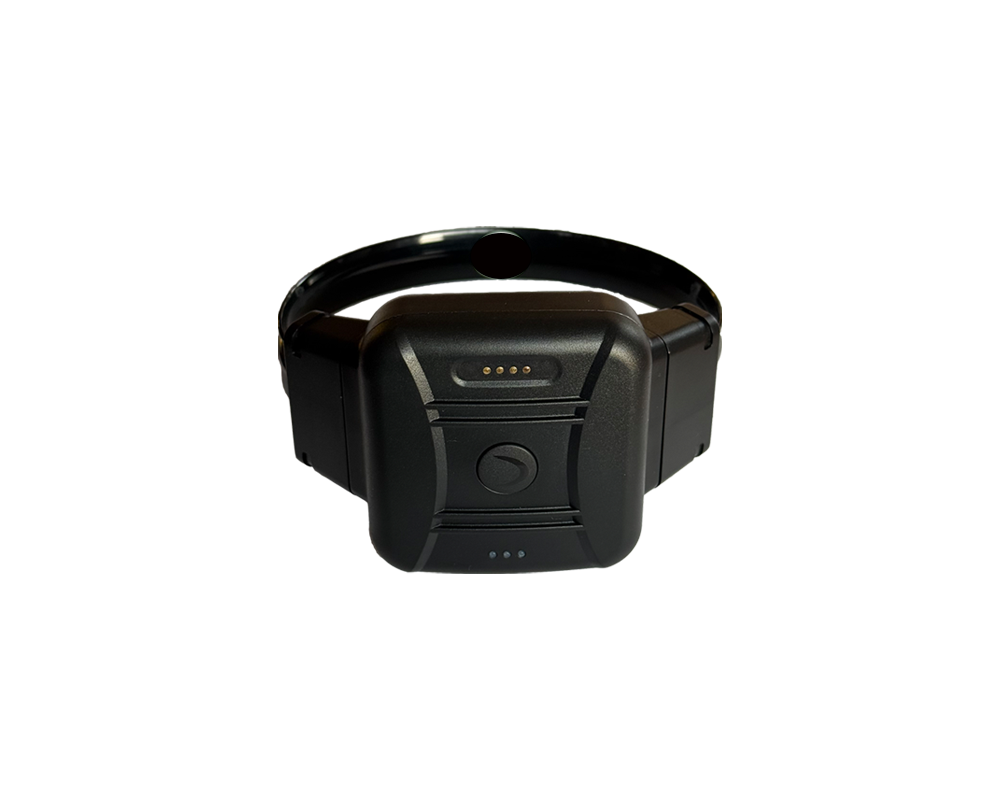
Write SOP language that forbids “grab any USB brick” practices: incorrect adapters lengthen charge times and heat-soak straps. Align dock inspection with Tip 2—corrosion on magnetic pins is both a charging fault and a tamper-noise precursor.
2) Inspect Strap Integrity Daily
Tamper detection is an evidence chain, not a buzzer. For a GPS ankle bracelet, strap integrity is the difference between a defensible alert and a 2 a.m. warrant that collapses in court. Daily visual checks should include cut lines, delamination, buckle engagement, and skin-gap anomalies that suggest forced lift.
Sensor physics matters. Conductive/resistive loops—common in earlier generations—can confuse sweat, rain, and micro-fractures with strap defeat. NIJ-era market surveys and aggregated program reports have cited false-positive bands on the order of 15–30% for some resistive architectures when maintenance hygiene and alert rules are misaligned. CO-EYE ONE uses fiber-optic tamper on the strap and case; manufacturer documentation specifies zero false-positive strap tamper indication, a sharp contrast to noisy resistive paths. Your pilot should still validate event semantics against prosecutor expectations—fiber continuity behaves differently than a simple ohmmeter loop.
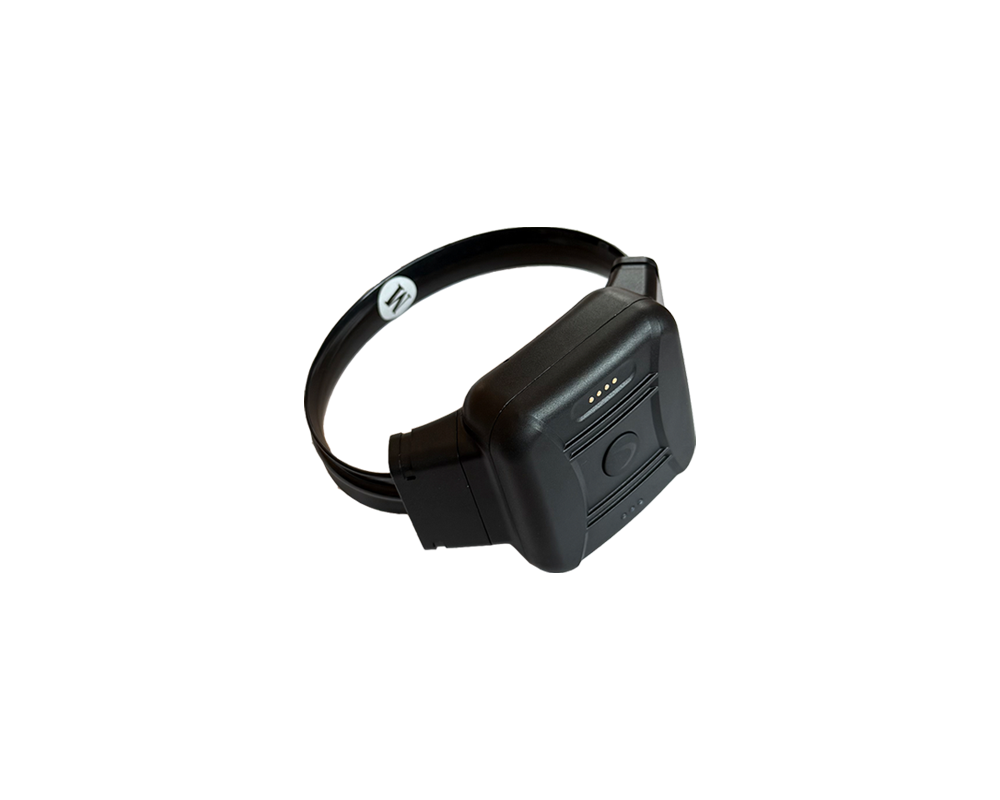
Pair mechanical inspection with photographic documentation on swaps and escalations. Judges increasingly ask for timestamped evidence that the strap was sound before an alleged defeat.
3) Update Firmware and Cellular Connectivity Before Carrier Sunsets
A GPS ankle bracelet is a narrowband computer on a leg. Firmware updates patch cryptographic suites, reporting cadence bugs, and assistive positioning logic; delaying OTA cycles is tantamount to deferring cybersecurity hygiene. Concurrently, 2G/3G sunsets strand hardware that cannot fall back to modern LPWAN stacks—your maintenance calendar must track carrier bulletins with the same rigor as body-camera firmware.
CO-EYE ONE supports 5G-compatible LTE-M / NB-IoT / GSM with remote OTA from the CO-EYE platform, HTTPS/SSL transport, and AES128/256 encryption per specifications. For agencies anticipating SIM logistics and multi-carrier failover, CO-EYE ONE-AC adds eSIM alongside nano-SIM, BLE-connected mode up to six months battery life when paired per spec, and expanded on-board storage (8M / up to 20,000 events vs. 2M / 5,000 on ONE)—a maintenance win for store-and-forward during marginal coverage.
Operational tip: run a quarterly “connectivity drill” that logs registration time, RSSI, and first-fix latency after each OTA—dashboard exports become RFP evidence in the next funding cycle.
Document every OTA window in change-control tickets: who approved, what version landed, and whether participant-facing release notes were updated. Prosecutors increasingly ask whether a firmware delta altered tamper codes or geofence smoothing—if your GPS ankle bracelet vendor cannot produce a readable change log, you are carrying undisclosed discovery risk.
4) Optimize GPS Positioning for Accurate Tracking
Maintenance is not only mechanical; it is measurement hygiene. Train officers to recognize when a GPS ankle bracelet is reporting fused fixes (GNSS + Wi-Fi + cellular referencing) versus pure satellite solutions—your geofence playbooks depend on that distinction. Instruct participants to avoid prolonged Faraday-like shielding (metal lockers, dense foil wraps) that force assistive modes into high uncertainty.
NIJ Standard 1004.00 language is still the procurement lingua franca: horizontal GPS accuracy benchmarks are commonly summarized as 10 m CEP50 and 30 m CEP95 under the standard’s controlled framework. CO-EYE ONE lists <2 m CEP GPS accuracy using GPS, BeiDou, GLONASS, Galileo, WiFi, and LBS assistance—maintenance teams should still document canopy conditions during acceptance testing so courtroom narratives match field geometry.
For deeper buying context, see the CO-EYE ONE product page and the buyer resources inside our GPS ankle monitor guide—both clarify how multi-constellation coverage reduces blue-dot jitter in urban cores.
Add a “fix-quality scorecard” to roll-call training: officers should know how to read HDOP/PDOP analogs if your platform exposes them, when to escalate marginal indoor assists, and how victim-notification automations behave when positions are network-assisted rather than pure GNSS. The goal is not perfection—it is explainability when a GPS ankle bracelet dot sits on the wrong side of a school buffer by twelve meters.
Seasonal maintenance: spring pollen and summer sunscreen residue can crust strap eyelets; autumn road salt migrates to charging docks in patrol bags. Add quarterly deep-clean windows that align with strap inventory counts so you are not disinfecting optics the night before a high-profile docket.
5) Train Officers on Rapid Installation and Field Swaps
Installation time is a safety and labor metric. Long intake queues increase lobby risk; roadside strap fights create viral footage. A modern GPS ankle bracelet program should standardize tool-free attachment, torque-free straps, and photographic verification sequences.
CO-EYE ONE specifies under three seconds for install or removal with a snap-on, no-tools workflow—contrasted with multi-step two-piece systems that require beacon placement, RF pairing checks, and separate charging schedules. Faster attachment means faster return-to-supervision and fewer manual errors during peak reporting hours.
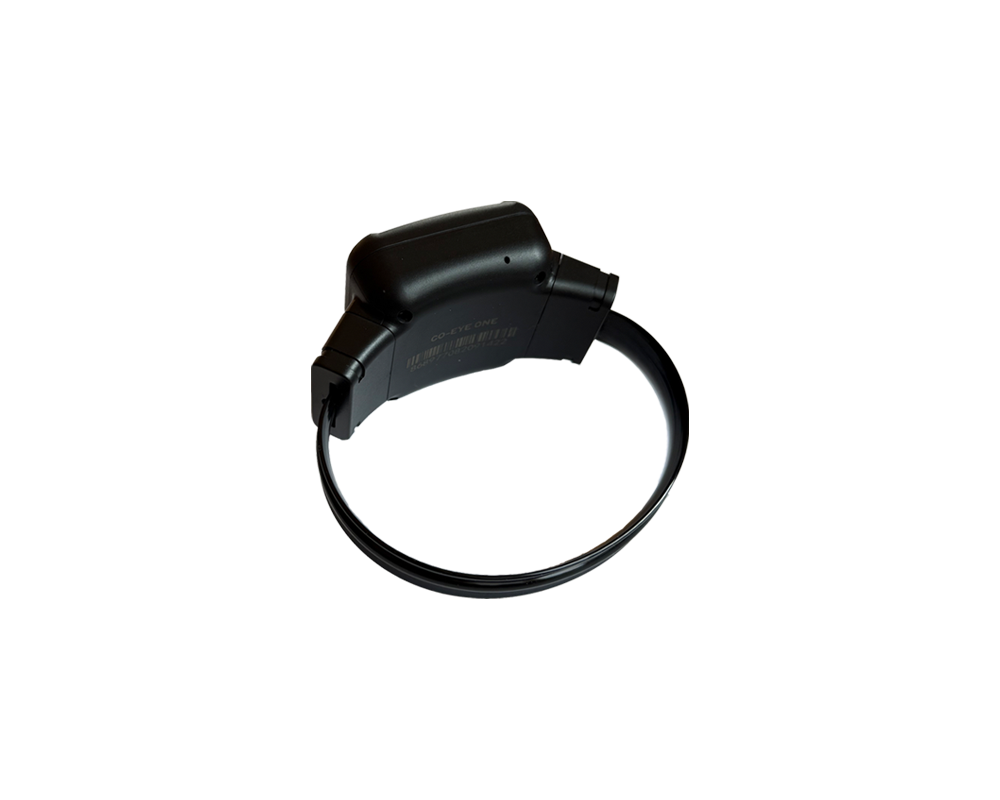
Drill the swap: verify cellular registration before the participant leaves the desk, print the custody label, and auto-assign the officer-of-record in software so maintenance tickets inherit chain-of-custody metadata.
Role-playing matters: run timed trials pitting one officer on a legacy two-piece kit against another on a one-piece GPS ankle bracelet—measure steps, pairing failures, and participant discomfort scores. The data becomes labor justification when unions or county HR question overtime tied to intake backlogs.
Inventory discipline: maintain a small “hot spare” pool charged to 80% minimum, labeled with last firmware checksum, and cycled monthly so batteries do not gas off in a closet. Nothing hurts credibility like handing someone a replacement GPS ankle monitor that fails its first registration because it sat discharged for two quarters.
6) Monitor Environmental Exposure (Water, Dust, Temperature)
Environmental stress is silent until it isn’t. Heat waves soften adhesives; winter salt attacks charging contacts; pool chemistry pits pins. Maintenance SOPs should list approved cleaners (no petroleum solvents on optical straps), seasonal inspection intervals, and explicit guidance on showers vs. submersion.
CO-EYE ONE carries IP68 waterproofing and an operating band of −20 °C to +60 °C per specifications—supporting shower routines and harsh intake environments when paired with Tip 2 inspections. The 108 g mass and slim envelope reduce torque injuries and clothing abrasion compared with heavier legacy modules, which indirectly lowers strap maintenance tickets.
Heat and cold alter lithium discharge curves: if your policy requires outdoor work programs, annotate expected battery slope changes in the participant handbook so officers do not confuse temperature-induced voltage dip with charger sabotage. Likewise, winter uniforms with lined boots can trap moisture—pair environmental guidance with explicit “sock and strap dry-time” instructions.
7) Leverage the Monitoring Software Dashboard for Proactive Maintenance
Fleet maintenance without telemetry is guesswork. Supervisors need battery slope alarms, charger handshake failures, geofence export gaps, and tamper storm clustering on a single pane—not scattered CSVs. Demand that your GPS ankle bracelet platform exposes device health scores, OTA status, and cellular registration breadcrumbs per unit.
CO-EYE Monitoring Software ships with 13 functional modules spanning real-time tracking, alert governance, reporting, and operational analytics—ideal for translating raw device events into maintenance tickets before they become courtroom incidents. Explore module depth on the CO-EYE Monitoring Software page and align escalation paths so night-watch staff know when to ping field officers versus calling participants for a charge cycle.
Configure threshold alerts deliberately: battery warnings should fire early enough to schedule a dock visit before zero-percent cliff, tamper storms should auto-group if three hits arrive inside ten minutes, and geofence gaps should distinguish “device offline” from “participant in elevator.” Each rule is a maintenance policy encoded in software—tune them after every OTA because firmware sometimes shifts heartbeat timing.
Export discipline: weekly CSV archives of device health fields (firmware rev, last OTA, last full charge, cellular registration) give auditors a paper trail. When something breaks, you will thank yourself for that boring Sunday night job—especially if a GPS ankle bracelet vendor claims “user error” without logs.
Supervisor’s Quick Maintenance Checklist (Print-Friendly)
- Daily: strap visual + buckle check; confirm overnight charging success for high-risk cohorts; scan dashboard for tamper bursts.
- Weekly: dock contact cleaning; spot-check five random units for registration latency; review OTA completion percentage.
- Monthly: hot-spare pool charge cycle; export device health CSV; train refresher on install/swap timing.
- Quarterly: connectivity drill post-OTA; carrier bulletin review; accuracy spot-test in your worst urban canyon.
- Annual: budget strap refresh and cellular refresh roadmap; re-score false-alert rates vs. baseline; update prosecutor training deck.
This checklist scales from small municipal pretrial offices to statewide parole boards—scale frequencies, not fundamentals.
Turn GPS Ankle Bracelet Maintenance into Procurement Evidence
Maintenance data is your next budget narrative: fewer charging touches, fewer false tamper clears, faster installs, and cleaner accuracy logs translate into analyst hours saved. Bundle this checklist with photos, OTA logs, and carrier sunset memos when finance committees ask why upgraded GPS ankle bracelet hardware saves money despite higher line-item pricing.
Next steps: pair this guide with the GPS ankle bracelet pillar article, route buyers through the GPS ankle monitor guide, and validate specifications on the CO-EYE ONE page. When you are ready to model software workflows, continue to CO-EYE Monitoring Software. For victim-safety deployments, cross-read GPS ankle bracelet domestic violence protection to align maintenance with protective order reporting.
Frequently Asked Questions
How often should a GPS ankle bracelet be charged?
Interval depends on device generation and reporting cadence. Legacy aggressive modes often land near daily to every-other-day charging. CO-EYE ONE targets about seven days standalone (5-minute LTE-M/NB interval) with ~2.5-hour full recharge—write your policy around the court order and verify in software, not anecdotes.
What causes false tamper alerts on GPS ankle bracelets?
Moisture, worn straps, conductive debris, and resistive strap noise are frequent culprits; aggregated program discussions tied to NIJ-era surveys cite ~15–30% false-positive pressure for some resistive stacks. CO-EYE ONE’s fiber-optic strap and case path is specified for zero false-positive strap tamper indication—validate semantics in pilot.
Can inmates shower with a GPS ankle bracelet?
Only with manufacturer-certified immersion ratings and policy approval. CO-EYE ONE is IP68; combine showers with daily strap inspections per Tips 2 and 6.
How do corrections officers replace a GPS ankle bracelet in the field?
Follow chain-of-custody: document the old strap, power-safe the retiring unit, snap on the replacement, confirm cellular + first fix, close the ticket in software. CO-EYE ONE’s sub-three-second tool-free install reduces exposure versus two-piece workflows.
What is the average lifespan of a GPS ankle bracelet?
Budget against battery cycles, strap replacement, OTA support, and carrier sunsets—often a three- to five-year cellular refresh reality. CO-EYE ONE’s LTE-M/NB-IoT/GSM stack (5G compatible) and ONE-AC eSIM option ease carrier transitions.